Just a minor thing, but thought you would want to be aware.
Recently, the underscores disappeared from my multiple choice grammar questions. Or maybe they're still there, but now invisible.
This means that when I'm choosing an expression which fits the sentence, I'm not necessarily sure where where within the sentence that it is supposed to go.
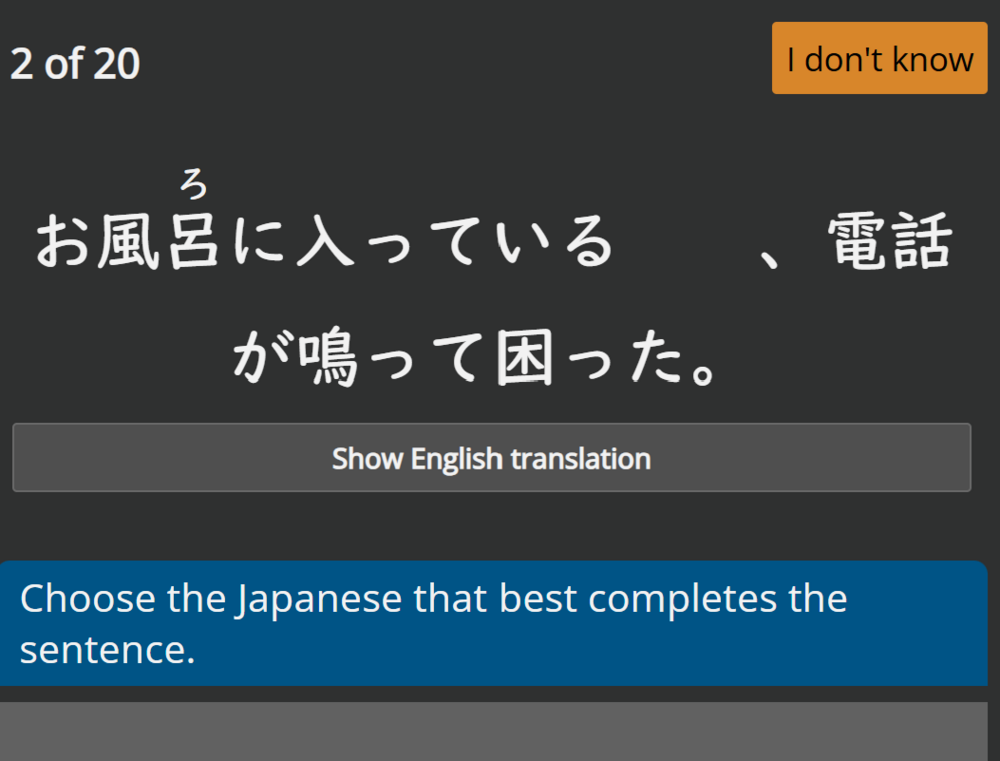
I'm giving an example in the screenshot below. In this case, we can tell that the expression will be inserted between る and the 、punctuation. There's not really a problem with this question. I know that the expression is supposed to be inserted into the sentence between those two.
However, with other questions, the insertion point is sometimes harder to identify. This is because sometimes it occurs to the left or right of text, with no text or gramma on the far side to bound it.
Until very recently, there used to be underscores there (or some marker like that) to make the insertion point clearer.
The sentence jumble questions are fine. It's only the regular multiple choice questions that are affected (as far as I'm aware).
This change happened approximately four days ago.
I have the same problem when I used the website website on various different desktop computers, although the underscores are still present and correct on the Android app.
I don't have any issues on desktop or Android. There was a minor change to Study Group quizzes/polls (underscore got removed) around 3 days ago, but it shouldn't have had an effect on anything else.
I guess at least it's not a platform-wide issue.
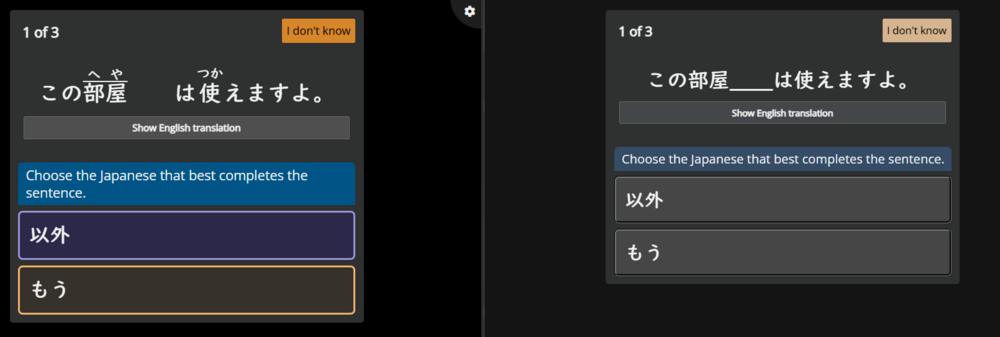
I had it happen on Microsoft Edge, but not on Chrome (exact same question). Weird. It might actually be related to the change to SGs that's causing this.
Although I did do grammar questions on Edge in the past 2 days without any issues... Also tested it on the same device.
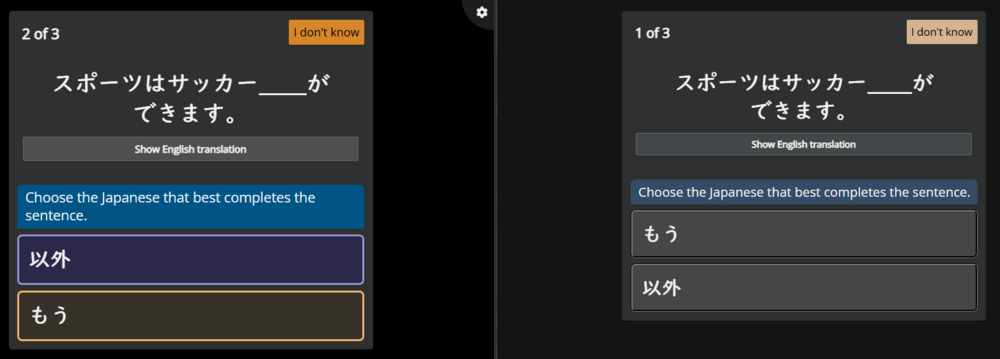
Update: It's also not all questions that have the issue (left is Edge, right is Chrome):
Thank you for this information! Well done for going so far as to capture the same questions on different browsers.
Personally I have had this problem on Brave browser and Chrome browser.
But, as you say, it doesn't always occur!
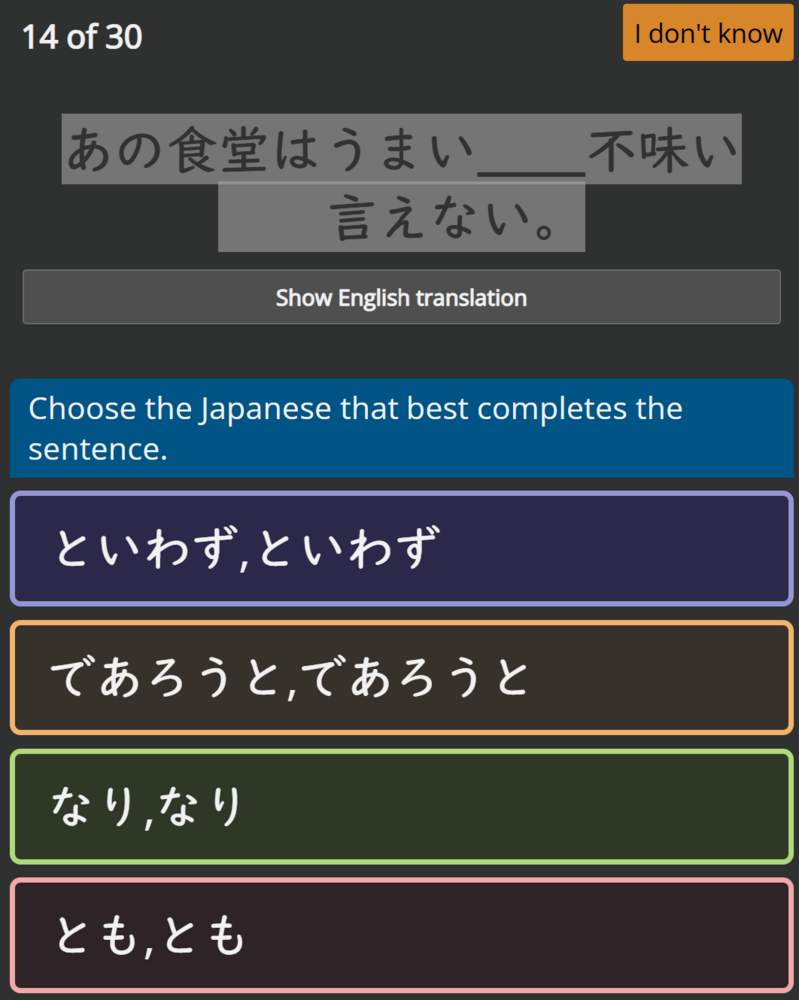
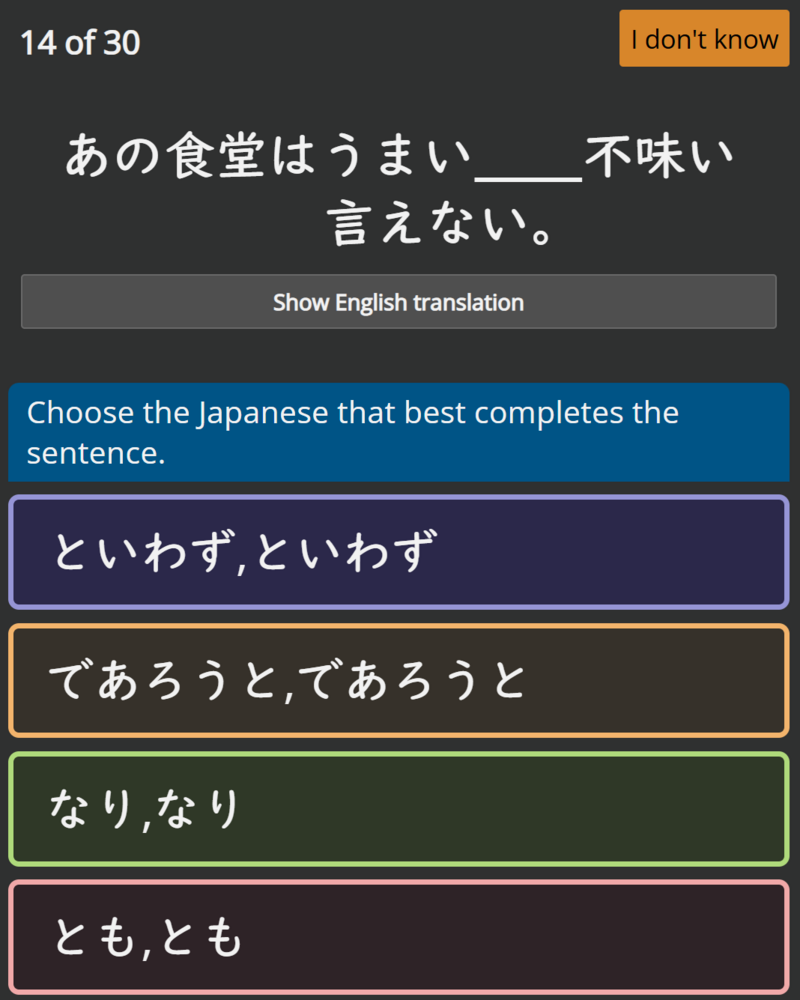
Speaking to this inconsistency, I just did a quiz where some underscores were showing and others weren't within the same question! 🤯 It's one of those particle-list questions where you have to select from なり、なり or とも、とも etc. So there are two different insertion points. Only one is showing the underscores.
In other questions, some of them displayed the underscores correctly, while others didn't.
I am looking into this. Whatever it is...it's relatively new.
Please do this for me, only for a few of the "broken" ones - send a screenshot here, AND use the ? button at the top to send in a quiz issue report.
I am getting reports from some users about this, but (frustratingly), on my side, I can see the line, so I need to try and match up the screenshots with the data on the backend.
Long shot, but I have an idea. Next time it happens, reload the page (if on desktop), or go to menu > settings, then immediately save (which also refreshes).
I'm not seeing any issues with the JP underscore. At least as far as I can tell. It does seem to be 50% longer and looks "thinner", but besides that it looks fine :)
I think __ looks closer to the original than ___, but I'm not sure