Vocabulary dictionary

Kanji dictionary

Grammar dictionary

Sentence lookup

test
 

Forums - Discussion: in forum dictionary lookups

Top > renshuu.org > Feature Requests/Improvements

Page: 3 of 3


avatar
マイコー
Level: 322

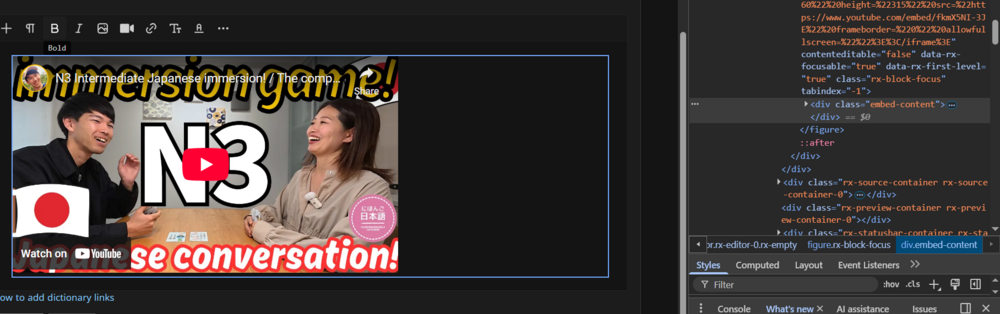
Yea, it's basically a p tag with a space inside. It's kludgy, but the way it works is that without that, it adds the image, and there is nothing after it for it to go to, so the image stays "stuck" at the end of the editor. I don't like it at all, and if I can figure it out, I'd prefer to get the cursor to jump right to the new paragraph, but that's proving troublesome. Right after the p is added via code, it technically isn't in there (it seems?) until after the user interacts with a click (etc.), so the code does not seem to be able to do "add p after the image, then move the caret there" because it doesn't exist. It's weird. I think it has to do with the sync between the original textarea and the visual, but not entirely sure.

I'll toss on margin onto the bottom of the quotes. Yeah - I played with them some yesterday and ripped out most of the old code. It doesn't reformat the already quoted ones everywhere in the system, but will handle all the new ones.

Youtube links should now be fixed (well, new ones that are posted).

1
1 month ago
avatar

Don't forget to also fix this for videos. It's pretty much the exact same problem.

One interesting quirk is that down-arrow just spawns in a p element for me.

ba2e156c01057cee12d3ad61.png

-

0eeb5dbcf0aa0255aa35228d.png

So for me this wasn't really a problem, but on mobile you can't really do that.


PS: This is purely theoretical (haven't thought too hard about it), but can't you add the p first, move the caret there, and then add the image above it? In my head, that sounds like it should make a difference.

Or if the image takes the focus, maybe at least the p "exists" with that order of operations.

1
1 month ago
avatar
マイコー
Level: 322

I haven't yet figured out how to move the caret, because the p tag still exists in some kind of weird limbo until after the user does something AFTER it is posted. Hoping the developers get back to me, but not holding me breath on that one.

0
29 days ago
avatar
マイコー
Level: 322

I am truly shocked, but not only did they get back to me, but the thing I requested is "planned" for their next release (they do releases every 1-2 months).

3
29 days ago
avatar

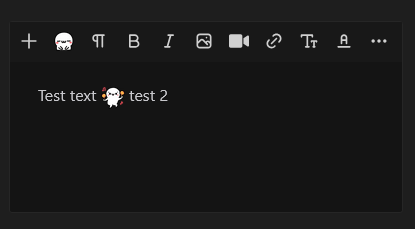
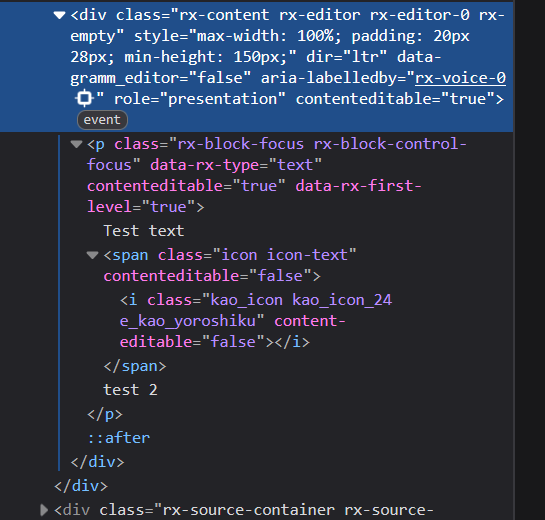
I talked about the issue with kaomoji being editable quite extensively on the other thread and I'm currently testing adding contenteditable='false' to either the span or the i element. At the moment to the i element (it's much easier to target).

It, obviously, fixes all of the issues I mentioned in the other thread, but it looks like a lot of the other issues aren't directly related to

contenteditable, and seem to still be present. I'm also having a hard time figuring out whether setting it to "false" has any direct adverse effect. Kaomoji simply do not behave the way a "normal" emoji does (e.g. 😀). For example moving them up and down with Enter or Backspace is simply impossible.

What I expect:

6fe25c930b8dfecd9b5a697d.png

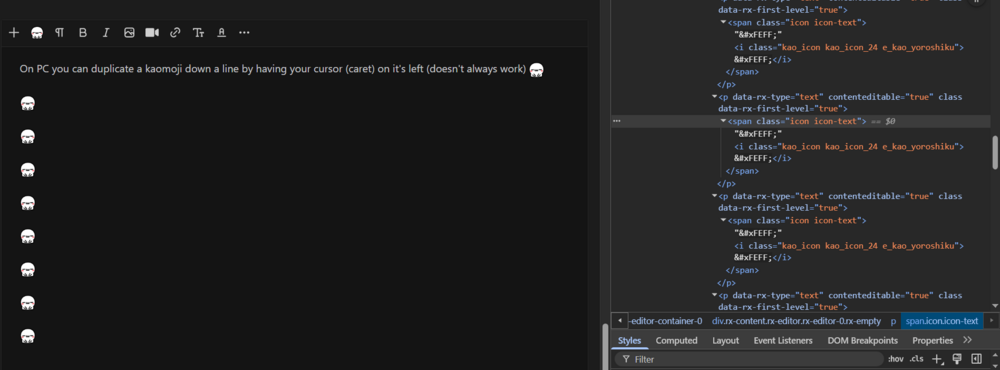
What actually happens with kaomoji is the following:

a) editable - I get a line break, the kaomoji is left on the previous line, and I get a duplicate on the new one.
f7ba795c0ea0d0fbdada4b1a.png

The duplication, of course, happens because they are editable. it's very much reproducible, as long as your caret is in the right spot.

b) non-editable - It's the same thing, the kaomoji gets left behind, except no duplication happens.


I did manage to find a fully reproducible bug with Backspace - when you add a kaomoji to a completely empty post (has to be line one), you can't delete it using Backspace. This is the case regardless of contenteditable being true/false. I have to actively "select" the kaomoji in order to delete it. Having contenteditable set to false is a bit better, since you can actually have your caret to the left of the kaomoji and push it to the right. Without it you'd just start typing/adding spacing inside the i element.

I believe all of this weird behaviour is caused by the design of the DOM structure. Kaomoji aren't treated like characters, but instead like replaced elements (I think that's actually what they are).

I also feel like the "zero width, no-break space" characters are causing issues. Potentially, I can't confirm this.


Is there a reason why you chose not to use a Unicode character + font substitution (emoji fonts), or a Unicode object replacement character?

My understanding is that the way you have them right now provides better display consistency and cross-platform reliability, but the editing experience (PC) seems to be way worse. Very much not my field of expertise though.


PS: I'm just providing some feedback and suggestions, not demanding anything :)

Happy holidays!


Edit: I didn't consider any API limitations, as I don't know your exact setup, or what is/isn't part of the out of the box API (Editor). I had assumed that kaomoji were tacked onto the Editor, so you'd have a lot of control, but if that's not the case, I apologise :)

1
27 days ago
avatar
マイコー
Level: 322

I'm back to catching up on all the issues that accrued over the break. Already sent another message into the developers about something else. The kaomoji are using a plugin that they developed, but I can always crack open the plugin code and work with it. I think that contenteditable thing sounds like a good lead.

Now, as to unicode character + font substitution, I actually didn't know that existed. My gut feeling, though, is that the issue affecting a lot of these are linked, and avoiding it with the emoji might be doable, but won't fix everything else.

I'm anxious to dive into these issues, though, now that my schedule is back to normal.

1
15 days ago
avatar
マイコー
Level: 322

You cannot see it, but I added contenteditable=false to the tag. It does prevent me from typing inside of it, but it DOES allow me to still select it, with a cursor inside. Typing does nothing, though. Did you see that on your end?

(For kicks, I but it both the wrapper html as well as the i tag itself.)

Ninja edit: I tried removing the span with the wrapper classes altogether, no change.

1
15 days ago
avatar
マイコー
Level: 322

I found another data tag used by the API, and tried applying it to JUST the first emoji. It can be selected, deleted, but not typed into, no cursor inside the element.

1
15 days ago
avatar

Both have the same issue when added first. You just can't delete them for some reason. I recorded a short vid, showing some issues. Couldn't get every issue, like the one where the caret just randomly skips a bunch of text backwards. That one is actually pretty annoying. The other annoying one is when you copy (even isolated text without double-click) and then paste, it goes on a new line. So if I copy this, opens some brackets (

this

), and try to paste it in there (after I've finished typing this). I get that... it's incredibly annoying I have to manually fix it every time.

If you click on the new tag twice, you can still type "inside" it, it just "replaces" it when you type. I show it in the video. That one's not too important, just interesting behaviour. That might just be normal.


"You cannot see it, but I added contenteditable=false to the tag. It does prevent me from typing inside of it, but it DOES allow me to still select it, with a cursor inside. Typing does nothing, though. Did you see that on your end?"

(contenteditable=false on the i element) — It does let me select it, but I can't place the cursor inside (as far as I can tell). Typing does nothing. Now, If I actually select it by holding left click and dragging, or double-click, I can type and replace it with text. Normal behaviour, imo.


This new data tag might actually be better. The issues it has seem to also be present with the current one. So I guess they're probably not related to them being editable. Hard to say definitively.

Maybe keep the new tag on a few kaomoji and see if anyone reports issues?


PS: Is there a way to disable the menu on / ? It's really annoying and I think it causes issues. I was writing a post using a few /, and the editor was behaving really weirdly. Not saving properly, or saving with HTML tags, for example.

0
15 days ago
avatar
マイコー
Level: 322

/ menu cannot be removed yet. I emailed them for assistance. The way to disable it ALSO disables the # functionality. I could probably adjust the original code, but I'd like to hold onto that as a last resort.

1
14 days ago
avatar
マイコー
Level: 322

The entire forum system has moved back to the old software (with the # lookup system backported in).

3
24 hours ago
avatar

Nice, I can finally copy-paste in peace, and the cursor won't randomly jump and delete things :D Kaomoji also work the way I'd expect emoji to work.

It's a shame the new software didn't work out. Are you giving up on it entirely, or just postponing its implementation?

PS: There seems to be an issue with quoting.

0
19 hours ago
avatar
マイコー
Level: 322

We'll see, but the code is still in there to switch back and forth, so I suppose I could try again in the future.

What's up with quoting?

1
16 hours ago
avatar

Yes, the quote link makes the reply button disappear, but that’s all.

0
16 hours ago
Getting the posts


Page: 3 of 3


Top > renshuu.org > Feature Requests/Improvements


Loading the list
Lv.

Sorry, there was an error on renshuu! If it's OK, please describe what you were doing. This will help us fix the issue.

Characters to show:


Use your mouse or finger to write characters in the box.
■ Katakana ■ Hiragana