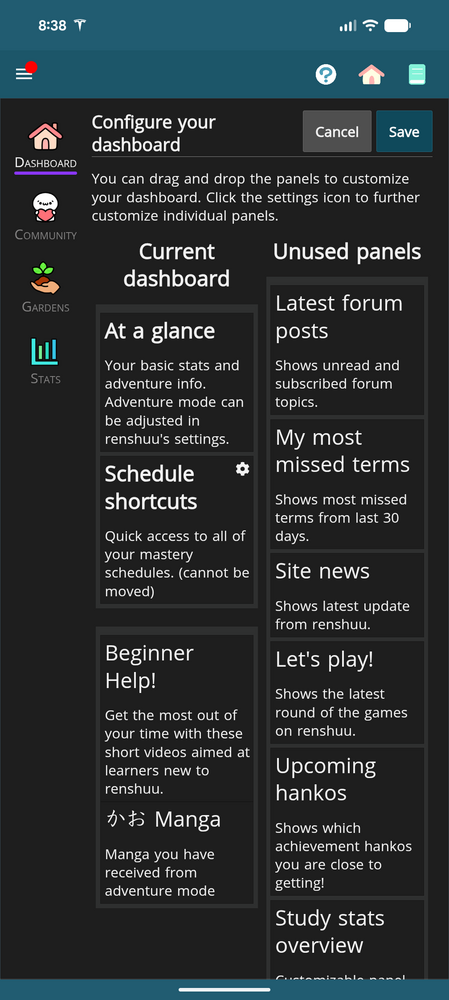
New android user here. I couldn't see how to search the forum, so I'm sorry if this is a known bug or perhaps not a big. Also I'll say for me it's not a significant pain point.
From Home page when I click the Dashboard Arangement button, when I try to arrange the dashboard options as drag and drop or tapping around, I don't notice the screen changing in any way. The settings button on the schedule tile does seem to work but the tiles don't move for me
Sorry, but let me clarify: on the settings panel, with the different widgets, is there any movement taking place? If so, is it that you can move them around, but once you hit save, the settings are not kept?
Sorry, to clarify - There seems to be no movement taking place. It is as though this screen is a static image. None of the boxes move or drag when interacted with. Ie. I cannot configure my dashboard. The only thing that is interactable on this page is the gear icon on "schedule shortcuts" which does expand that widget and allow me to make changes to that specific widget. Please let me know if I am using the page incorrectly.